EN ET
GPS Analyzer

See your runs. Submit your best.

Open your GPS speed-session logs and read every metric on the spot — then pick the runs worth sending to GPS-Speedsurfing. The on-device analysis matches GP3S, so the numbers you see are the numbers you submit.

Join the beta onTestFlight Available onGoogle Play

Free · iOS beta via TestFlight · Android live on Google Play.

SBP · UBX · OAO · GPY · GPX · FIT 1–20 Hz logging Matches GP3S analysis On-device, no cloud
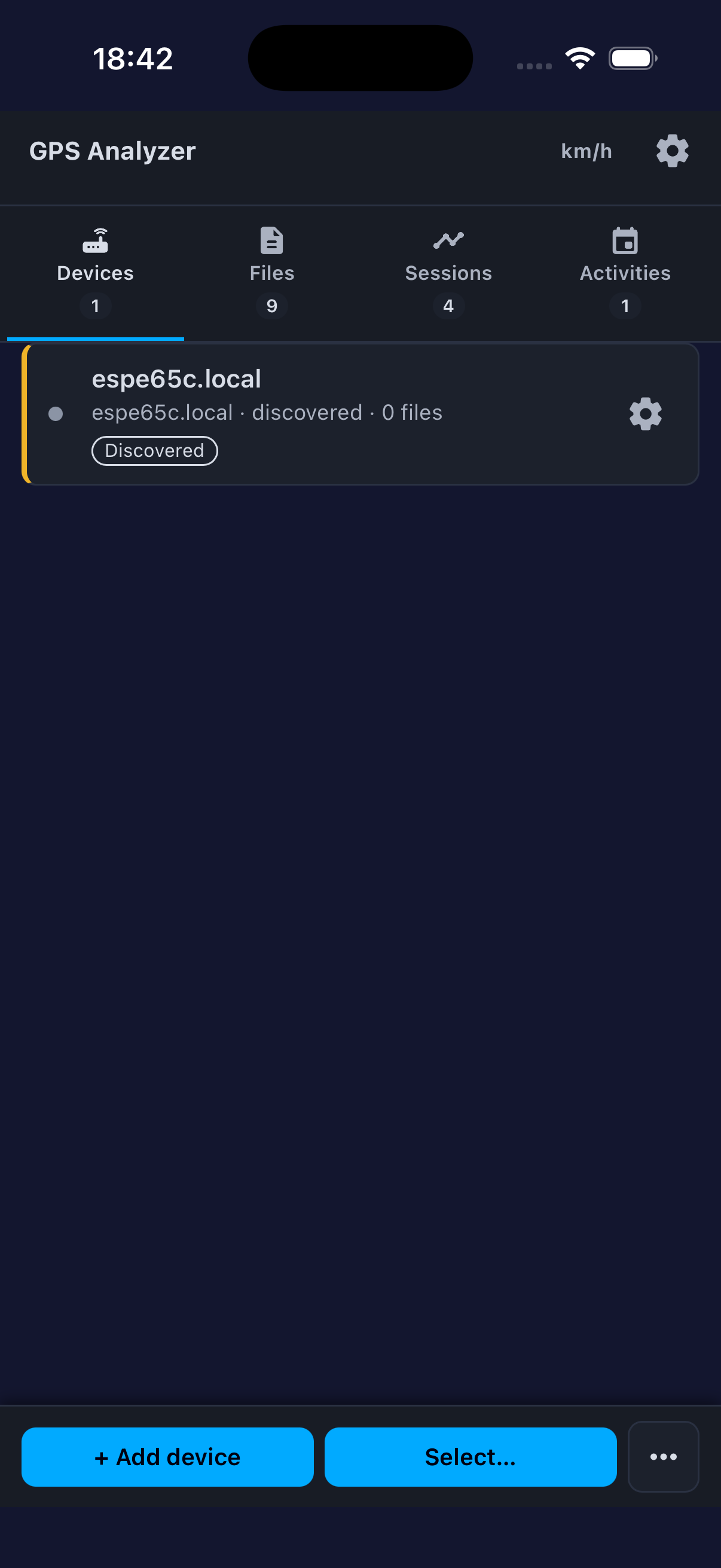
Devices tab

Devices

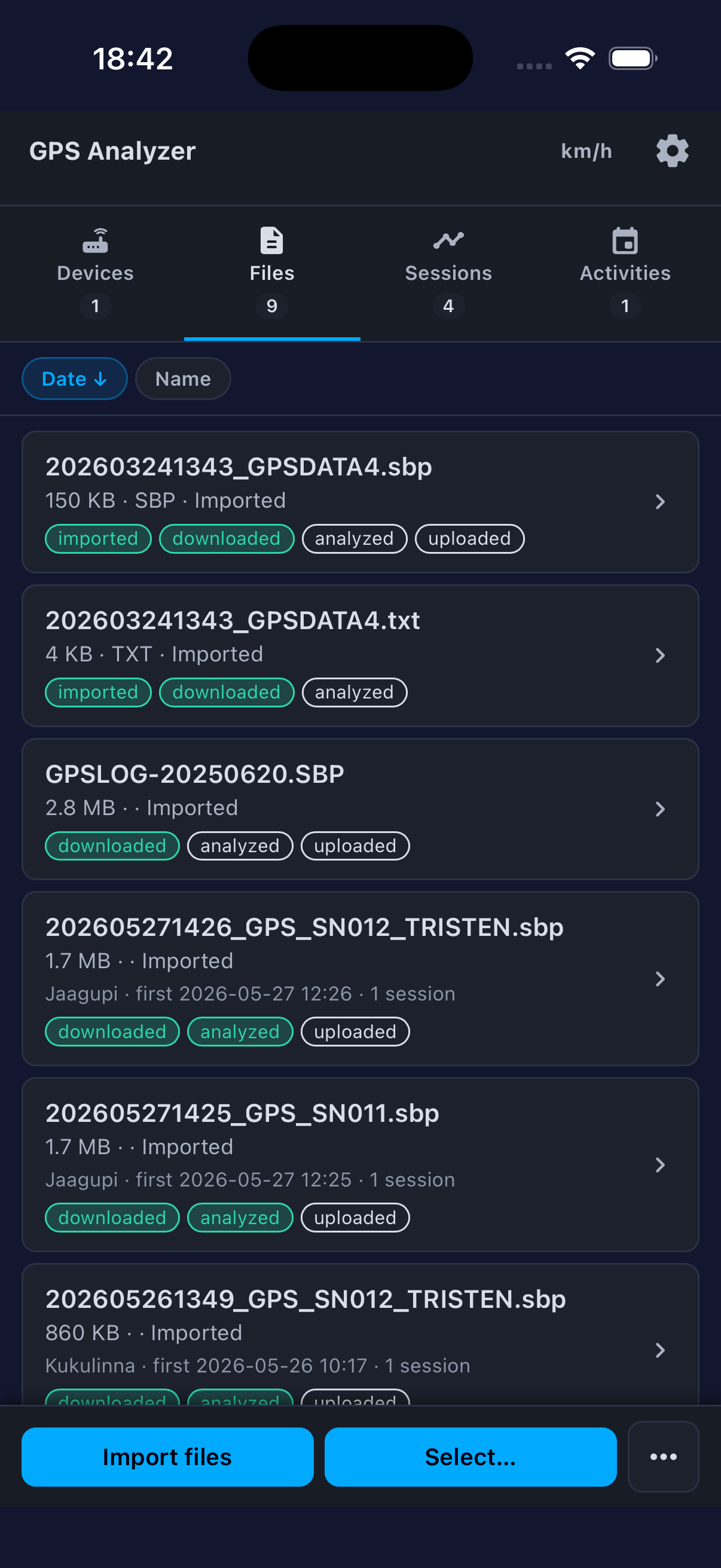
Files tab

Files

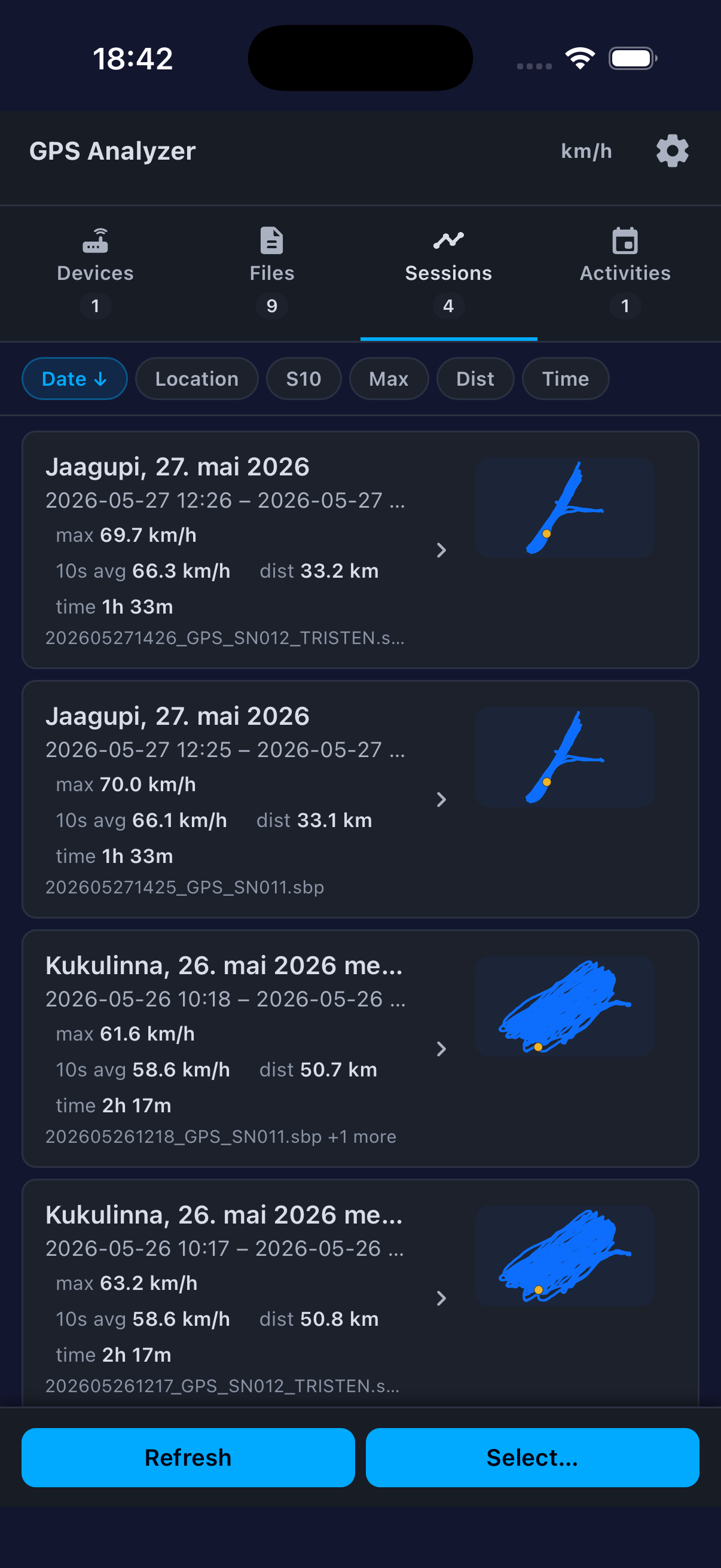
Sessions tab

Sessions

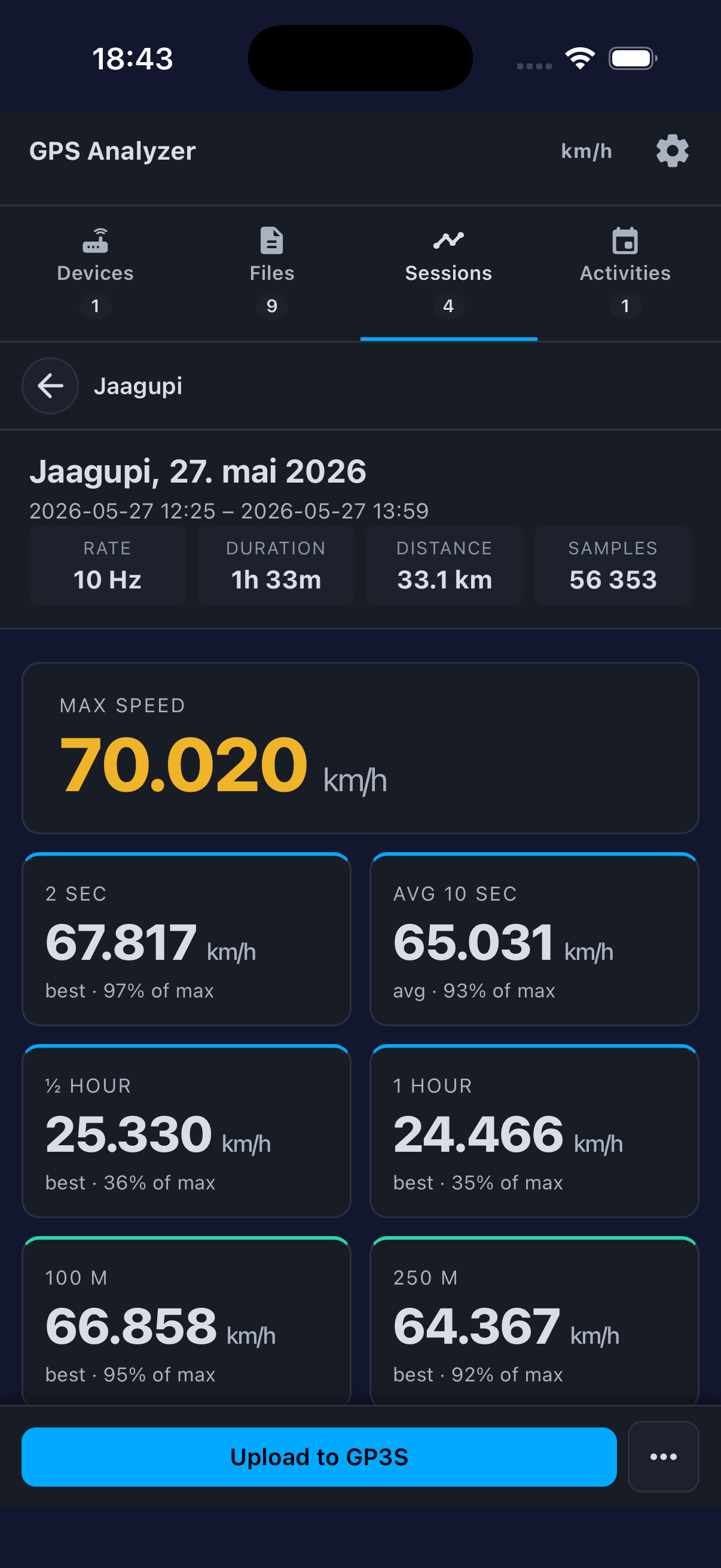
Session metrics

Metrics

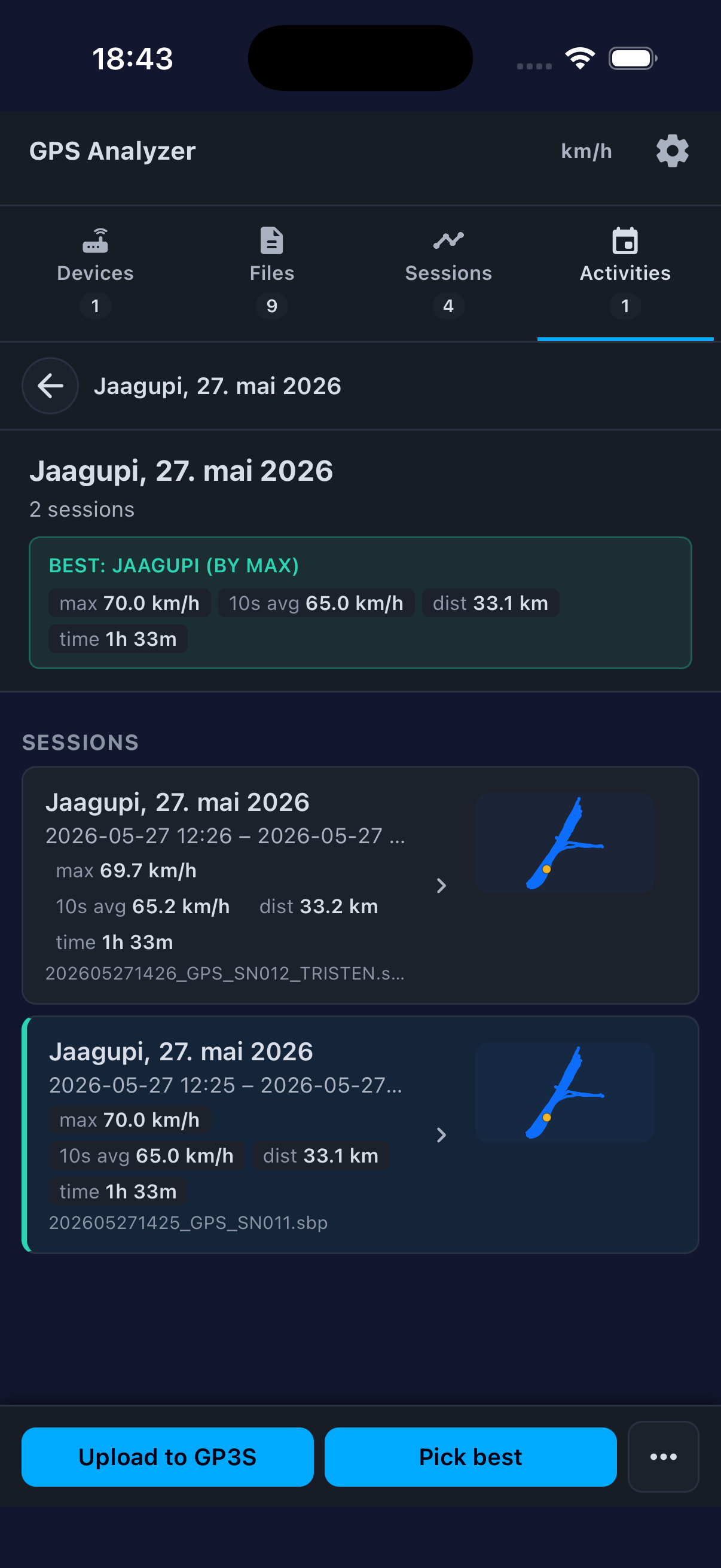
Activities

Activities

One app for every speed-session log

GPS Analyzer isn't tied to one brand. It talks to the open-source ESP-IDF GPS Logger directly, and it reads the log files almost every popular speed-GPS produces — so whatever you ride with, your runs open the moment the file lands.

📡 Direct device support — ESP-IDF GPS Logger

The DIY logger this app grew up with. Discover it over WiFi, download logs, read and edit its configuration, and flash new firmware over the air — no cables, no desktop tool.

📂 Reads logs from far more

Open or import files from Locosys, u-blox-based loggers, Motion, OpenGNSS, Garmin / COROS, or any GPX export. Doppler speed is read straight from the file for the precision speedsurfing needs.

.sbp · Locosys .ubx · u-blox .oao · Motion .gpy · OpenGNSS .fit · Garmin / COROS .gpx

The categories that count — computed the GP3S way

Every official GPS-Speedsurfing record category, calculated on your phone with sub-knot precision.

2 s
Peak avg
10 s
Avg speed
30 min
½ hour
1 h
Hour avg
100 m
Sprint
250 m
Distance
500 m
Distance
1852 m
Nautical mile
α 500
Alpha racing

From log file to leaderboard

Get your data off the device, see what you did, and submit the runs you want — the whole pipeline in one app, so you can focus on the water.

📡

WiFi download

Auto-discover the ESP-IDF GPS Logger on your network and pull SBP / UBX logs in seconds — or import files from any other device.

Instant analysis

A C99 engine crunches multi-hour 10–20 Hz sessions on-device — session splitting, gap detection, speed-spike cleanup — with no cloud and no waiting.

🎯

Matches GP3S

The analysis mirrors the GPS-Speedsurfing engine, so what you see on your phone is what shows up on the leaderboard. No surprises after you submit.

🗺️

Track visualization

Leaflet map with the full polyline, per-metric run traces, and mini-track previews right in the session list.

🔀

Merge & compare

Combine sessions from multiple devices or days into one Activity, and compare your best runs across conditions.

🏆

One-tap GP3S upload

Submit the session you choose to GPS-Speedsurfing with the correct payload and metadata — no desktop software in the loop.

Every run at a glance

Sessions are auto-detected from time and location boundaries. The list shows mini-track previews, max speed, and key intervals — sorted by date, location, 10 s, max speed, or distance.

Filter, select, and merge. Mini-tracks render the moment path data arrives — no reload needed.

Auto-split Mini-tracks Sort & filter Location labels
Session list with tracks

Precision speed analysis

High-rate logs are read at up to 20 Hz and every competitive speed interval is computed with sub-knot precision — shown immediately after import, and identical to what GP3S will record.

2 s 10 s 30 min 1 h 100 m 250 m 500 m Nautical mile Alpha 500 Max speed
Session metrics detail

Compare across sessions

Group sessions from different devices or days into an Activity. GPS Analyzer merges metrics, stitches tracks, and surfaces the best run across the whole group — the one to submit.

Multi-device merge Best run highlight Side-by-side compare
Activity comparison
🏅

Built for GPS-Speedsurfing

Submit the runs you pick to gps-speedsurfing.com (GP3S) in one tap. GPS Analyzer builds the correct multipart payload with all required metadata — and because the on-device numbers match the GP3S engine, there's nothing to reconcile afterwards.

Try it on your phone

GPS Analyzer is free to use. It's live on Google Play for Android; iOS is still in public TestFlight beta. Get it through the links below.

iPhone & iPad

Install the beta through Apple TestFlight.

Join the beta onTestFlight

Android

Install from Google Play.

Get from Google Play